The Visual Voice of Customer Feedback: A Clean Design Approach
There's a moment every business owner and marketer knows well. You've just received a fantastic piece of customer feedback—a glowing review, a heartfelt testimonial, a social media shoutout that makes your day. You want to share it with the world, to turn that praise into social proof that builds trust and attracts new customers. But then you hit a wall. How do you present this feedback in a way that looks as good as it feels? You need a design that's professional, clean, and instantly recognizable as part of your brand. This is where a thoughtful visual system for customer testimonials becomes not just nice to have, but essential for effective marketing.
Why a Template System Transforms Testimonials
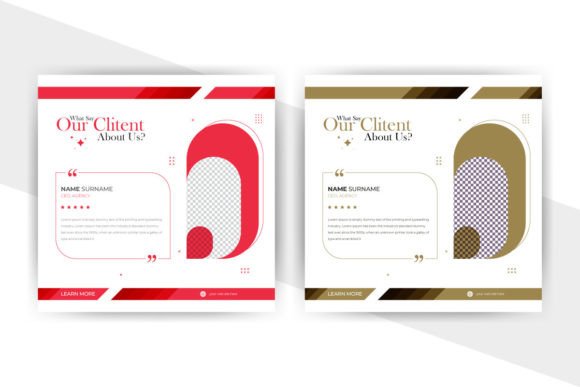
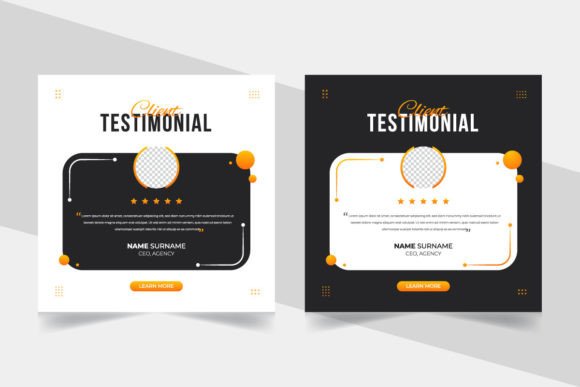
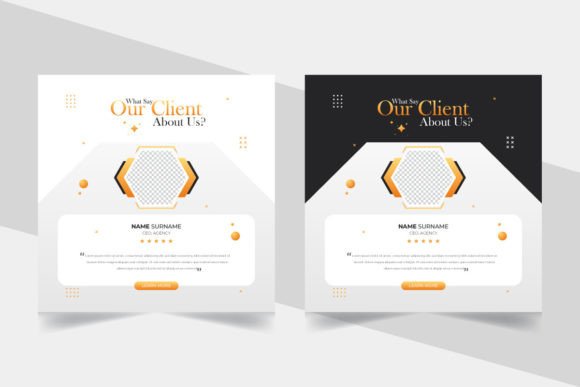
Think about the brands you follow and trust. When they share a customer review, it doesn't look like a random screenshot pasted onto a plain background. It feels intentional. The colors align with their palette, the typography is consistent, and the layout guides your eye to the most important words. That consistency is what builds brand recognition. A dedicated social media template for feedback—like the clean concept template featuring RGB color modes and editable vector files—provides that instant consistency. It turns a fleeting compliment into a durable marketing asset. Instead of spending an hour in Canva or Illustrator for every single quote, you have a professional foundation ready to go. This isn't about being lazy; it's about being strategic with your creative energy, focusing it on the message rather than reinventing the wheel for every post.
From Social Proof to Brand Identity: Practical Applications
The real power of a well-designed feedback template is its versatility across your entire brand ecosystem. It’s not just for Instagram stories. Consider these practical uses that extend far beyond a single social post:
- Social Media Graphics: The most obvious use. A clean, 1200x800 pixel banner is perfect for Facebook, LinkedIn, or as an Instagram carousel slide. The size ensures clarity on both desktop and mobile feeds.
- Website Testimonial Sections: Use the template to create a cohesive grid of reviews on your homepage or a dedicated testimonials page. The consistent framing makes the section look curated and trustworthy.
- Email Marketing Campaigns: Embed a styled customer quote in your newsletter to add a human element to your promotions. It breaks up text-heavy emails and provides credible endorsement.
- Digital Presentations & Pitch Decks: Including a few styled customer quotes in a sales presentation can be more persuasive than a long list of features. It shows real-world validation.
- Print Materials & Packaging: Don't limit this to digital. The included Illustrator EPS files mean you can pull a quote graphic onto a brochure, a thank-you card, or even the side of your product packaging with perfect print-ready quality.
This approach ties directly into building a strong brand identity. Every time a potential customer sees that feedback styled in your unique template—whether on a poster at a local market or a web banner—they're receiving a subconscious signal about your brand's professionalism and attention to detail. It strengthens visual consistency, which is a cornerstone of brand recognition.
Making it Yours: Customization and Font Pairing
The beauty of a "fully editable" template is that it’s a starting point, not a finished product. The included free font gives you a solid typographic base, often a clean sans serif font known for its readability. But the real magic happens when you make it your own.
Start by injecting your brand's color palette. Swap the template's default colors for your primary and secondary brand hues. This single change instantly makes the asset feel like it belongs to you. Next, consider the typography. If the template's font doesn't perfectly match your brand identity, you have the freedom to change it. This is where understanding font pairing becomes useful. You might pair the clean sans serif from the template with a script font for the customer's name to add a personal touch, or use a serif font for the quote to lend a more traditional, authoritative feel. The goal is to create a hierarchy that’s easy to read at a glance: the quote should be the star, with the attribution secondary.
Always test your customizations. Does the text still pop against the background? Is the contrast ratio sufficient for accessibility? A great design is one that everyone can appreciate. Use the template's editable objects to experiment. Maybe you want to add a subtle brand icon in the corner, or use a different shape for the text box. The professional, clean file structure means you can tweak these elements without breaking the design.
Beyond the Quote: Building a Marketing Asset Library
When you approach customer feedback with this level of design intention, you're doing more than just sharing quotes. You're building a library of marketing assets. Each styled testimonial becomes a piece of content that can be repurposed. That same graphic can be adapted for a web banner, a slide in a digital product course, or an element in an editorial layout for a blog post. It saves time and, more importantly, ensures that every touchpoint with your audience reinforces the same professional image.
This is especially crucial for small business owners and creative entrepreneurs who wear many hats. You might not have a dedicated design team, but that doesn't mean your materials should look amateur. Investing in a versatile, high-quality template like this is a force multiplier. It allows you to produce professional presentation materials that compete with larger brands, fostering the audience engagement that turns casual followers into loyal advocates. It’s a practical step towards elevating your entire visual communication strategy, one clean, compelling customer story at a time.